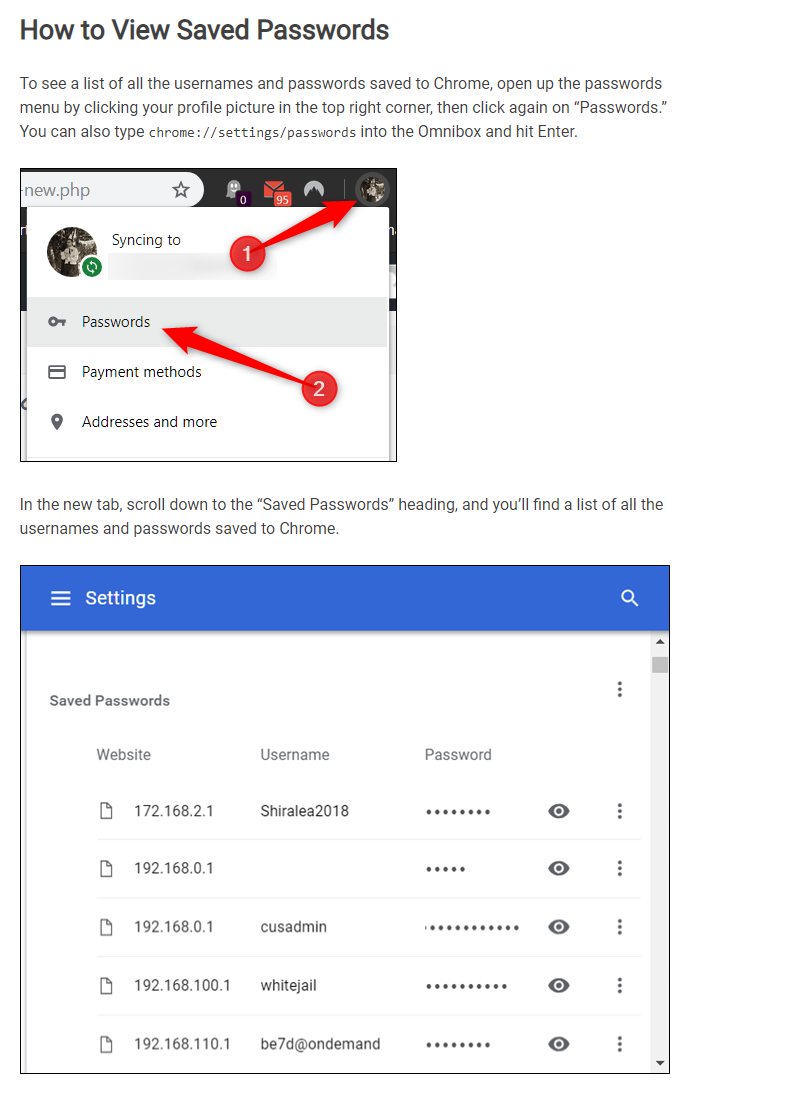
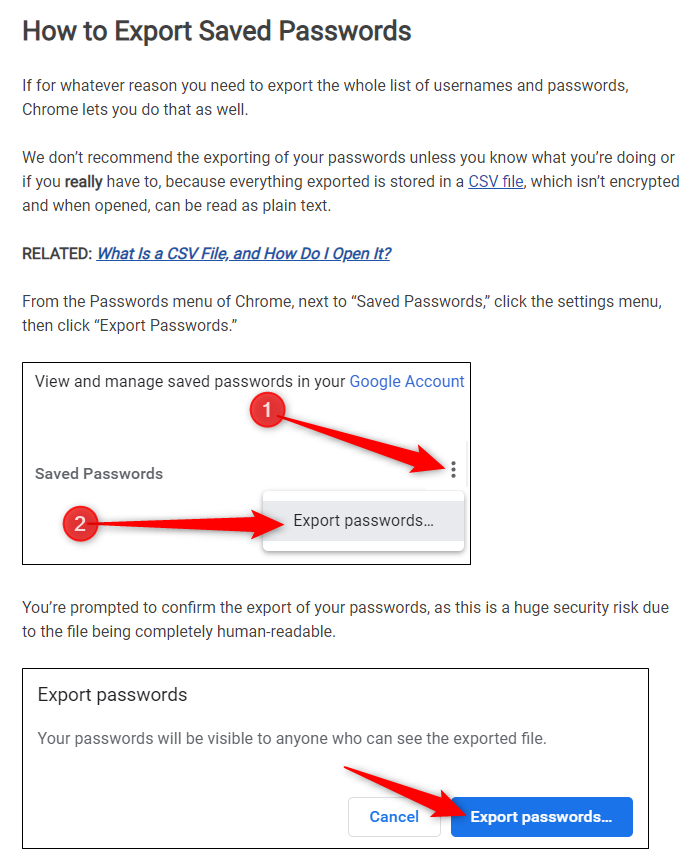
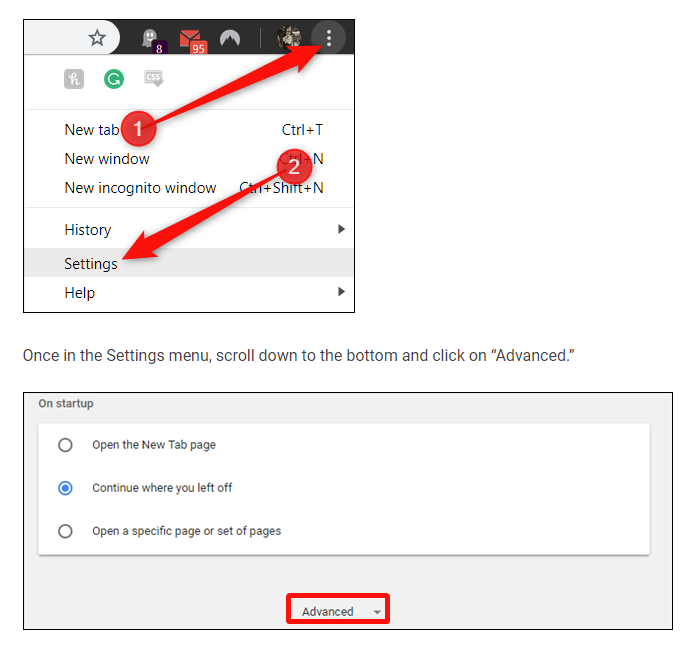
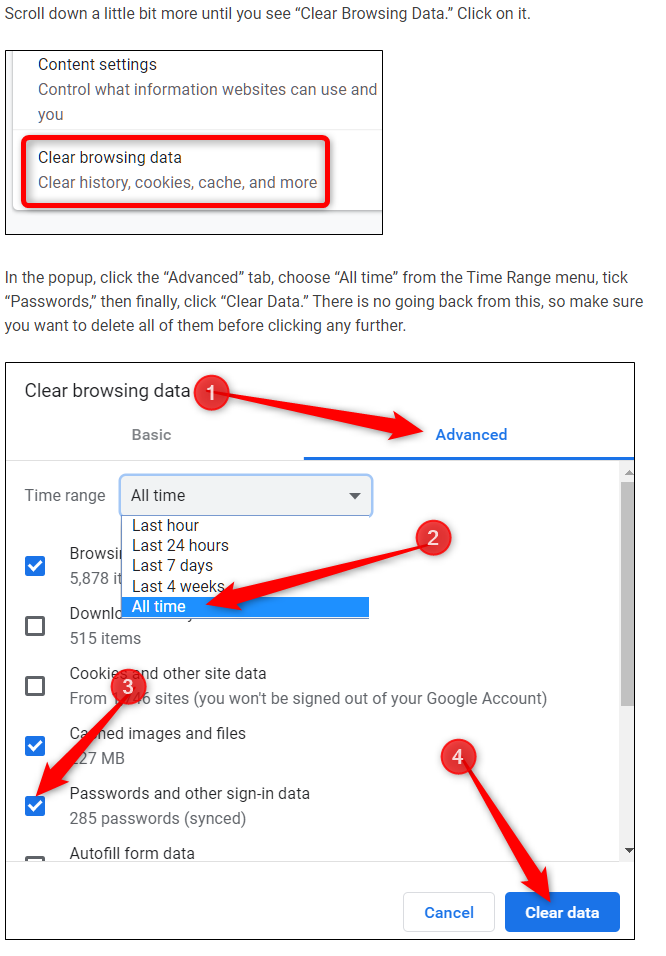
The following instructions show you where to go to manage your passwords from within the browser, and just in case how to export passwords before you clear them.
Users need to clear their cache and cookies - when having any login issues, one of the first troubleshooting steps is to clear all cache and cookies; specifically Passwords and other Sign In data. If you have any hesitation in doing so (at the cost of losing said passwords) this should put you at ease.
The following Chrome Browser instructions were provided by an online source:
https://www.howtogeek.com/406976/how-to-manage-saved-passwords-in-chrome/